Koinly only treats a withdrawal and a deposit as one transfer when they pass its matching rules. If it can't find the deposit, it treats the withdrawal as if you sold the coins at market price, which is where the phantom gain or loss comes from. Usually the receiving wallet isn't imported yet, or the two sides break one of the rules below. Fix the missing side first; matching by hand is the last resort.
Koinly's matching rules
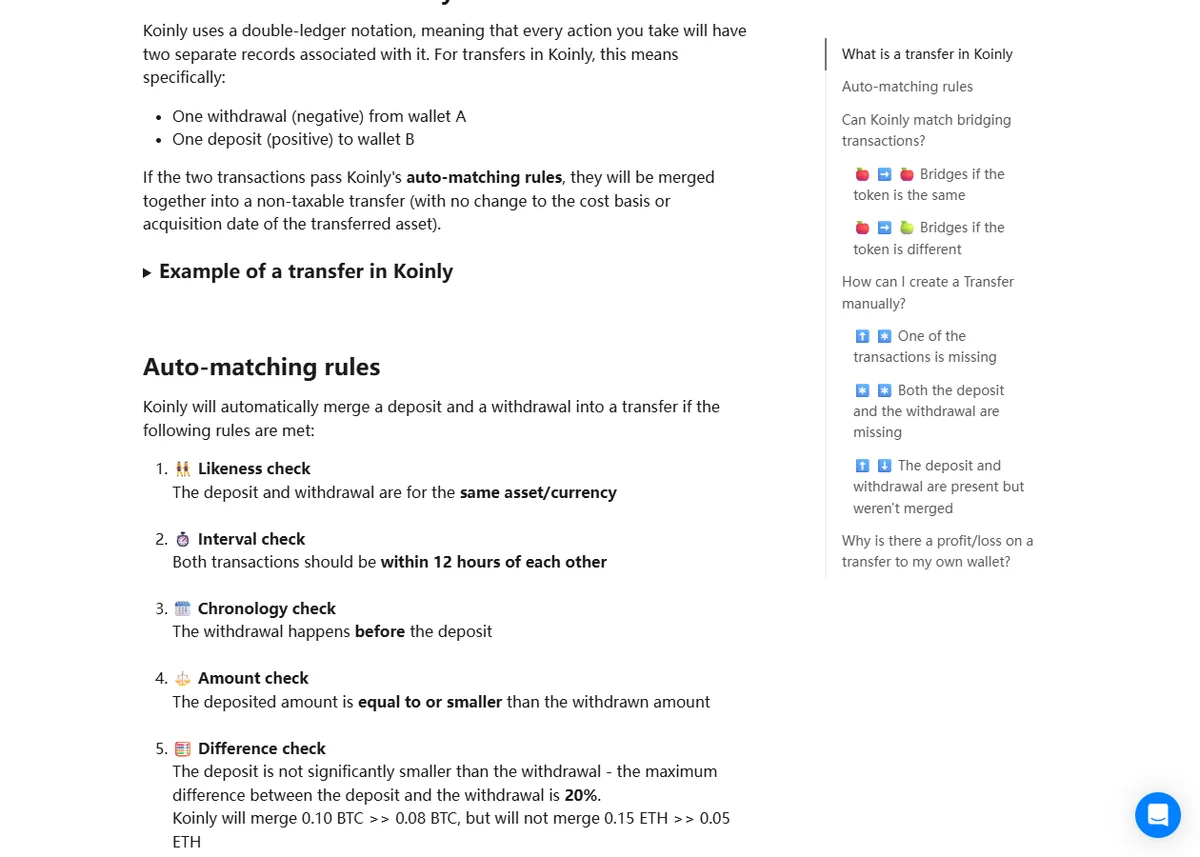
Koinly merges a withdrawal and a deposit into one transfer when all of these hold:
- both are the same asset
- they're within 12 hours of each other
- the withdrawal comes first
- the deposit is equal to or smaller than the withdrawal
- the deposit is no more than a fifth smaller than the withdrawal
If the transaction hashes are present on both sides, they also have to match.
What you see, and what to do
The withdrawal shows a gain or loss, or is marked as sent to another wallet. The receiving wallet isn't in Koinly. Add it (by public address for a self-custody wallet, or by file for another exchange) and Koinly re-checks the pair.
Both sides are imported but still separate. Compare them against the rules above:
- More than 12 hours apart. A withdrawal that sat in an exchange's queue can land much later. Match the pair by hand in the transaction view.
- The deposit is larger than the withdrawal. This usually means the sending exchange recorded the amount after its fee while the fee row is missing, or the deposit combines two withdrawals. Check the sending file's fee column.
- The deposit is much smaller. One withdrawal split into several deposits, or a bridge, won't pass the size rule. Match each part by hand.
- Different asset names. The same token imported as two different assets (for example a network-specific USDT) won't match. Map it to the same asset in Koinly first.
The deposit shows as income. Same cause, other side: Koinly found the deposit but not the withdrawal. Import the sending account's history.
Find the unmatched rows before import
Run each exchange file through the CSV converter first. Its report lists every withdrawal and deposit it read, with times and amounts, so you can see which transfers have no partner in the files you have before Koinly turns them into sales.
Why it matters
A transfer treated as a sale creates a gain or loss that never happened, and the coins then arrive in the destination wallet with a new cost, which throws off the gain on the next real sale. One unmatched transfer can produce errors in two places.
What this is based on: Koinly's help articles on how it handles transfers between your own wallets (updated 2 September 2026) and on transfers showing gains or losses, checked on 6 October 2026.